ISSUE

129


May 2023

ITU Logo with text

TOUCH BASE

e-Newsletter


Content

1. Preview Release of Turnitin’s AI Writing Detection Capabilities (Staff Only)

2. Azure for Students (Student Only)

3. Outlook for Android will Require Android 9.0 or Above Starting July 10, 2023

4. Reminder: Note to Students Who Will Graduate or Leave From HKCC / SPEED


1. Preview Release of Turnitin’s AI Writing Detection Capabilities (Staff Only)

Turnitin released a preview of AI writing detection capabilities which added an AI writing indicator to the Similarity Report showing an overall percentage of the document that may have been AI-generated such as ChatGPT.
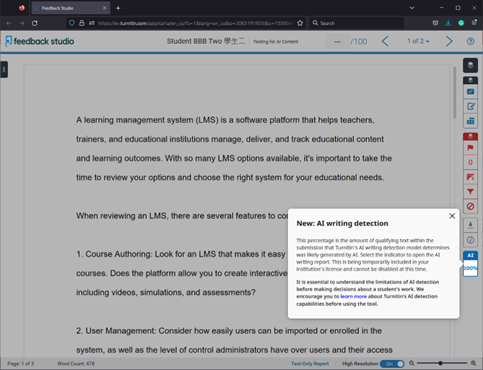


The preview release of Turnitin's AI Indicator is now accessible to all existing Turnitin customers - including CPCE, until the end of 2023. The AI Indicator only visible to admins and instructors, not students. Only assignments that are written in English and submitted after 4 April 2023 are automatically checked for AI writing detection.


To learn more about this feature, please visit Turnitin's AI Writing Detection - Toolkit for administrators and instructors
User Guide: AI Writing Detection Feature Guidance
Video: Turnitin’s AI Writing Detection: An introduction for educators and administrators

2. Azure for Students (Student Only)

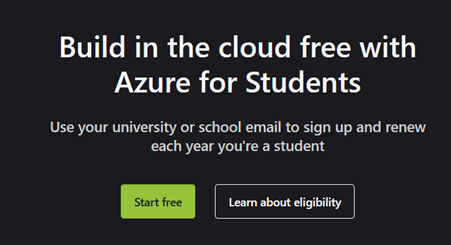
ITU is pleased to announce the availability of Microsoft Azure for Students, it offers $100 Azure Credit for Students to use Microsoft Azure and its free services within the first 12.


Interested students can visit Microsoft page at Azure for Students – Free Account Credit | Microsoft Azure and click “Start free” to start enrollment procedure. Please remember to sign up this service using your @common account.


3. Outlook for Android will Require Android 9.0 or Above Starting July 10, 2023

Beginning July 10, 2023, Outlook for Android will no longer support Android 8.x or below. Users will need to upgrade their Android operating system to Android 9.0 or newer. Please update the operating system if you want to use Outlook for Android.

4. Reminder: Note to Students Who Will Graduate or Leave From HKCC / SPEED

Please note that the following IT services will be terminated after you graduate or leave from HKCC / SPEED:


  • Student email account
  • Microsoft OneDrive bundled with student email account
  • Microsoft Office 365 ProPlus applications (Microsoft Office / Mac Office) offered via student email account
  • Print quota account
  • Student Notebook Loan Service
  • Campus Wi-Fi service, including Eduroam
  • Moodle
  • Campus PC / other systems login
  • Access to Student Computer Centre

Reminder:


  • Please backup data/files from the above systems if you need to keep them before graduation in order to prevent inconvenience and /or data loss.
  • Remaining balance in print quota account is non-refundable and non-transferrable at any time.
  • Should you have outstanding debit note for student notebook payment, you must settle it before graduation.
  • You may consider purchasing the Microsoft products at Microsoft Store if you wish to continue using them after leaving HKCC / SPEED.
  • You can only access Transcript request feature in my.HKCC / my.SPEED after graduation
  • You are also recommended to observe email announcement from PolyU Alumni Affairs and Development Office about the provision of lifelong PolyU alumni email account and OneDrive online storage.

Students are welcome to contact ITU helpdesk at 3746-0818 / 3746-0819 or email to pfitoper@cpce-polyu.edu.hk for enquiry.