1. Arrangement for High Volume Printing
Two printers are reserved as heavy printing printers for high volume printing purpose. If you need to print more than 90 pages or your print job will take more than 3 minutes, please use the following two dedicated printers inside Student Computer Centre(SCC) during opening hours of ITU helpdesk:
|
HHB |
WK |
| Printer Name |
Printer H8 |
Printer 10 |
| Location |
11/F, SCC |
5/F South Tower, SCC |
- Students should make use of the heavy printing printers for large print jobs (i.e., more than 90 pages or will take more than 3 minutes to process);
- Please report us when you find someone is using non-heavy printing printer for high volume printing, ITU will record the abuse case and cancel the print jobs accordingly.
Should you have any enquiries, please contact our helpdesk at 3746-0818 (HHB) or 3746-0819 (WK) or email to
pfitoper@cpce-polyu.edu.hk.
|
 |
 |
2. Reminder : Student iPad Loan Service
Referring to student enquiry, there is a reminder on the availability of student
iPad Loan Service in HHB and WK student computer centre, 10:00 am - 6:00 pm, Mon-Fri.
Student is advised to observe rules and regulations regarding this service at
http://www.cpce-polyu.edu.hk/itu/index.php?option=com_content&view=article&id=42&Itemid=44.
Feedback Form for Student iPad
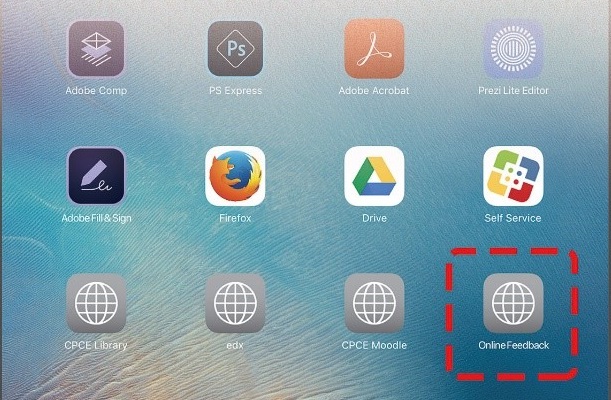
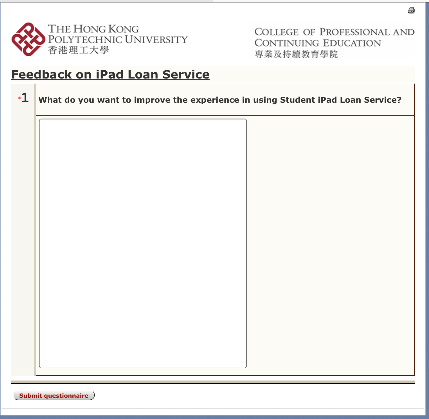
To collect your feedback regarding iPad loan service, an online feedback form and its link are available in student iPad, please let us know your feedback!
|
 |
|
3. Office 365 Email Storage Quota for Staff Upgraded to 100GB (Staff only)
Since February 2017, Office 365 email storage has been upgraded from 50GB to 100GB, check your mailbox storage size by following the steps below.
Login Outlook client, click 'File' in upper left-hand corner of the ribbon bar and you will see the size of your mailbox under the Mailbox Cleanup section.

In order to tune up the performance of the Outlook client, user is advised to perform regular email archiving and please contact ITU staff serving your unit
for setting up if necessary.
|
 |
|
4. Conducting Polls/Surveys Must Require Students Login on Poll Everywhere
Further to the notice dated 16 January 2017, please note that all polls/surveys conducted starting from 1 January 2017 should require students'
login in order to conform to the license requirement of Poll Everywhere.
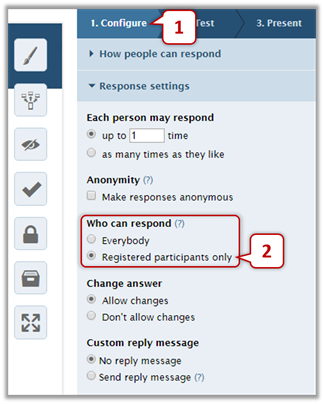
Kindly be reminded to choose "Registered participants only" for "Who can respond" when create or re-use a poll.
How to conduct anonymous polling
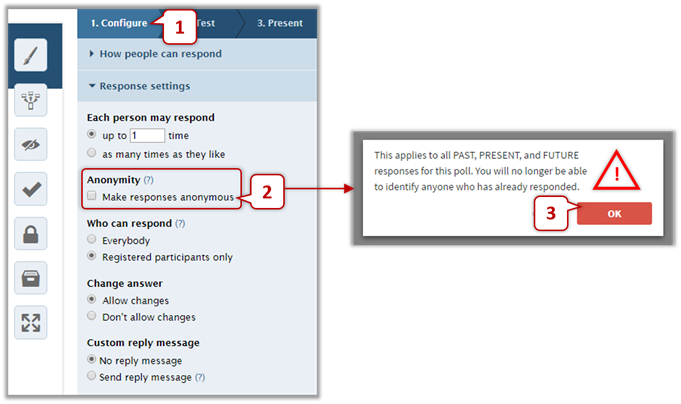
If you want students to respond your polls/surveys anonymously, you can check "Make responses anonymous" under "Anonymity".
Please pay attention that this setting CANNOT undo, that means once checked it cannot be unchecked.
Once checked, all responses' identity on this poll will be permanently deleted.
|
 |
|