ISSUE

98


January 2020

ITU Logo with text

TOUCH BASE

e-Newsletter


Content

1. Prepare for Online Teaching (Staff Only)

2. IT Mega Sale for Semester 2

3. Download Software Packages Installed in IT Labs

4. Campus Wi-Fi and Internet (Off-Campus) Printing Service

5. Reminder on Mobile Learning : You Can Do Your Presentation Using CPCE MacBook Air and iPad


1. Prepare for Online Teaching (Staff Only)

Further to the CPCE announcement dated 26 January 2020 regarding the suspension of all face-to-face teaching from 3 February 2020, the week starting on 3 Feburary will be used by colleagues to prepare for the delivery of online teaching. Please refer to this link https://cpce.sharepoint.com/sites/IT-support#how-to-prepare-online-teaching on how to prepare the online teaching.

2. IT Mega Sale for Semester 2

ITU is pleased to announce IT Mega Sales for semester 2 has started. User is welcome to visit IT Products Mega Sale page inside CPCE Portal for offering details and ordering methods.

3. Download Software Packages Installed in IT Labs

Can I download software installed in IT Labs? Please check here ( Software Inventory of CPCE Portal > Link next to Download Link of IT Software ) for an updated list of downloadable IT Lab software packages, this list contains 60 software in IT lab covering IT, Engineering, Design and statistics, etc, courses.


Students is welcome to visit the page and download necessary software for self-practice purpose. There is remark for those software only trial version is available.

4. Campus Wi-Fi and Internet (Off-Campus) Printing Service

It is a regular reminder of Wi-Fi printing (on-campus / off-campus) as follows,


How many methods of Wi-Fi printing?

Method to print

Support Devices

Support double-sided printing?

Support multiple pages per sheet(e.g. 2-in-1 or 4-in-1) printing?

1. Web Print (via Web Browser) All Yes No
2. Driver Notebook (Personal) only Yes Yes
3. Mobile App iPad, iPhone, Android mobile device only Yes No

What kind of printers are covered in this service?

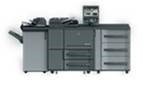
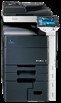
All Konica Minolta Black/White Printers
All Konica Minolta Colour Printers

Where are the locations of the printers? SCC: Student Computer Centre, CLIB: CPCE Libraries
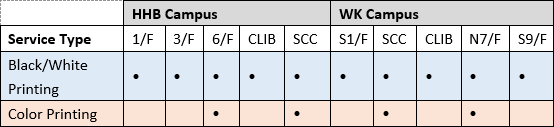

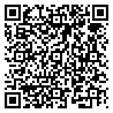
How to use or setup the printing (Campus Wi-Fi or Internet) in tablet/mobile phone?

  • User guides (quick / full version) can be accessible via the below QR code
Should you have any enquiries, please contact our helpdesk at 3746-0818 (HHB) or 3746-0819 (WK) or email to pfitoper@cpce-polyu.edu.hk.

5. Reminder on Mobile Learning : You Can Do Your Presentation Using CPCE MacBook Air and iPad

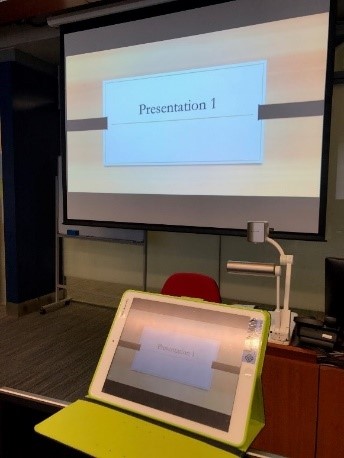
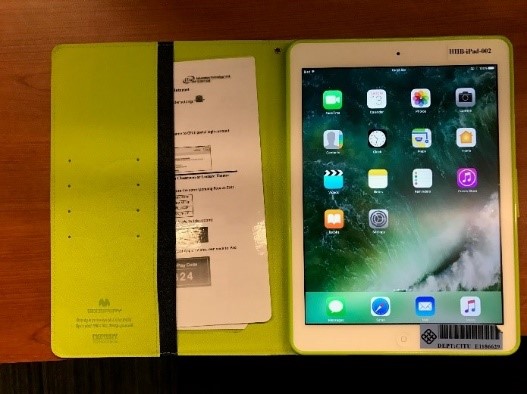
It is to remind that you can borrow CPCE MacBook Air and iPad from ITU to connect Apple TV in teaching venue. Students can make use of the MacBook Air and iPad to do the presentation. Necessary guide in placed for reference and students are welcome to contact ITU helpdesk for enquiry.


Projected screen from student iPad (in classroom) Reference guide for student placed in iPad